Reticulating Splines

Old memories. NEW POSSIBILITIES.

Rediscover SimCity 2000.

Build beyond your memories.

Rediscover SimCity 2000 with classic graphics, music and sounds, plus lighting, weather, modern tools and multiplayer. No original copy? Use the optional Reticulating Splines graphics and audio packs.

Follow development Explore the visuals

Classic SC2000 Assets

Solo & Multiplayer

Mods & Asset Packs

Built on OpenSC2K

Rooted in SimCity 2000

The city you remember.

More ways to enjoy it.

Reticulating Splines builds on OpenSC2K's recreation of SimCity 2000, adding new ways to see, manage and share your cities. Keep the classic look and sound, explore the enhancements, and make your next city your own.
Play with your SimCity 2000 copy

Your classic graphics.
New possibilities.

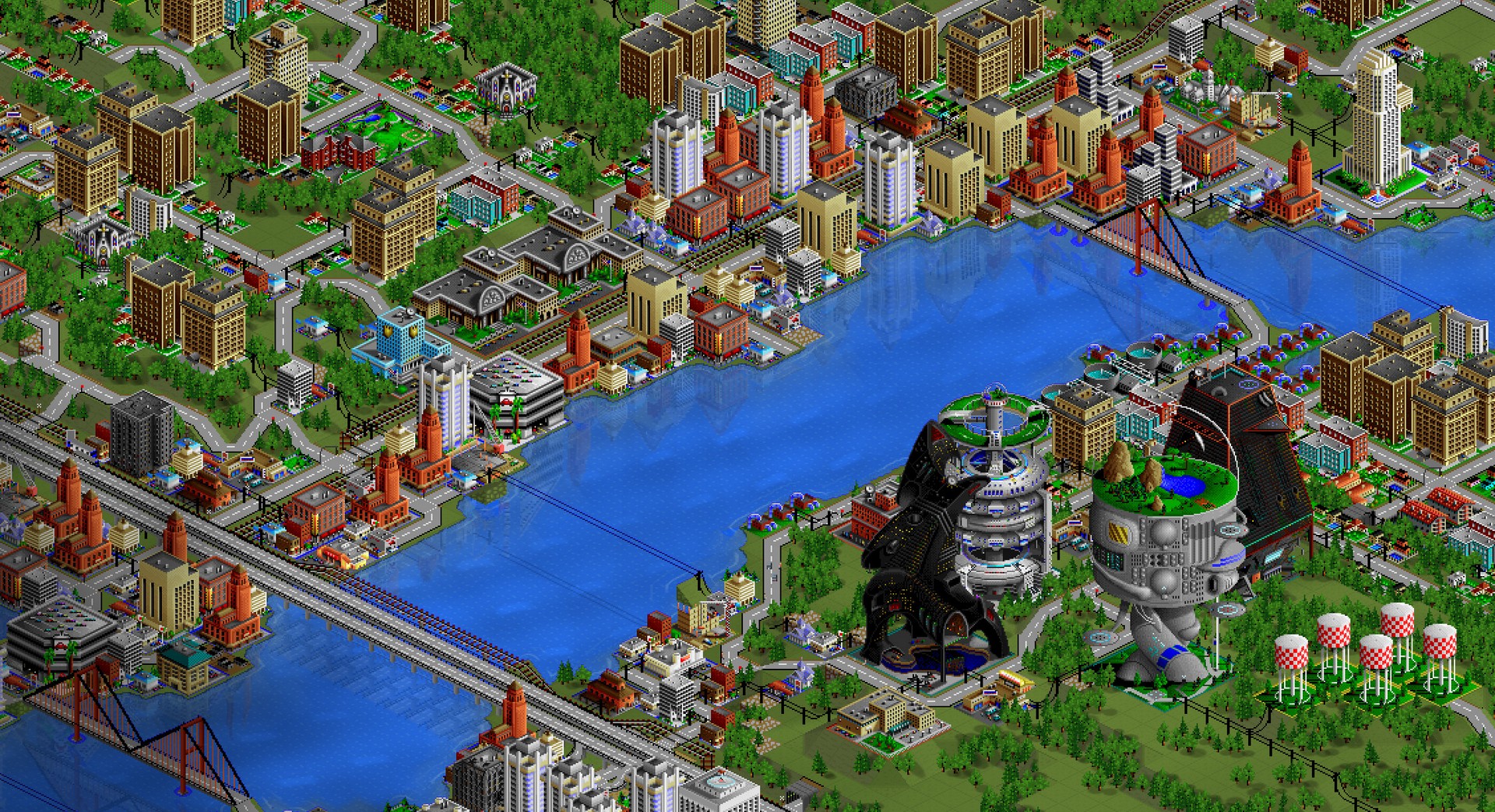
Import the graphics, music and sounds from your supported SimCity 2000 copy. Enjoy those familiar streets with day and night, changing weather, improved tools and multiplayer in the OpenSC2K-based engine.

Original assets are imported locally from your own copy. They are not included with Reticulating Splines.

No original game? No problem.

You can still
build here.

The Reticulating Splines graphics, music and sound packs provide an alternative when you don't own SimCity 2000. Use these replacement assets to enjoy the project's features without original game files.

Original assets are optional. No previous SimCity experience is required.
Classic assets or replacement packs.
The same enhanced engine. Your choice of look and sound.

CLASSIC SIMCITY 2000. NEW POSSIBILITIES.

The city you remember.

More ways to make it yours.

Rediscover SimCity 2000 with familiar graphics and sounds, richer atmosphere and more convenient tools. Expand into a region, build with friends or keep the classic presentation—the choice is yours.

THE CLASSIC EXPERIENCE

The classic you love. Your way to play.

Bring back the familiar look and sound of SimCity 2000. Choose a classic interface and leave optional effects off until you feel ready for more.

Utopia in daylight with original SimCity 2000 buildings and the Classic Windows tool palette.
  • Bring your original artwork. Import graphics from your supported SimCity 2000 copy and revisit the buildings you remember.
  • Hear the familiar soundtrack. Build with the original music and sound effects imported from your own supported game copy.
  • Choose a classic interface. Switch to Classic Windows or Classic DOS for familiar menus, controls and pixel typography.
  • Add only what you enjoy. Keep optional visual effects off, then enable the additions that suit your preferred experience.

LIGHT, WEATHER & LIFE

Familiar streets. A new atmosphere.

Watch your city change with the light, weather and seasons. Illuminated windows, reflective water and street life bring classic artwork to life.
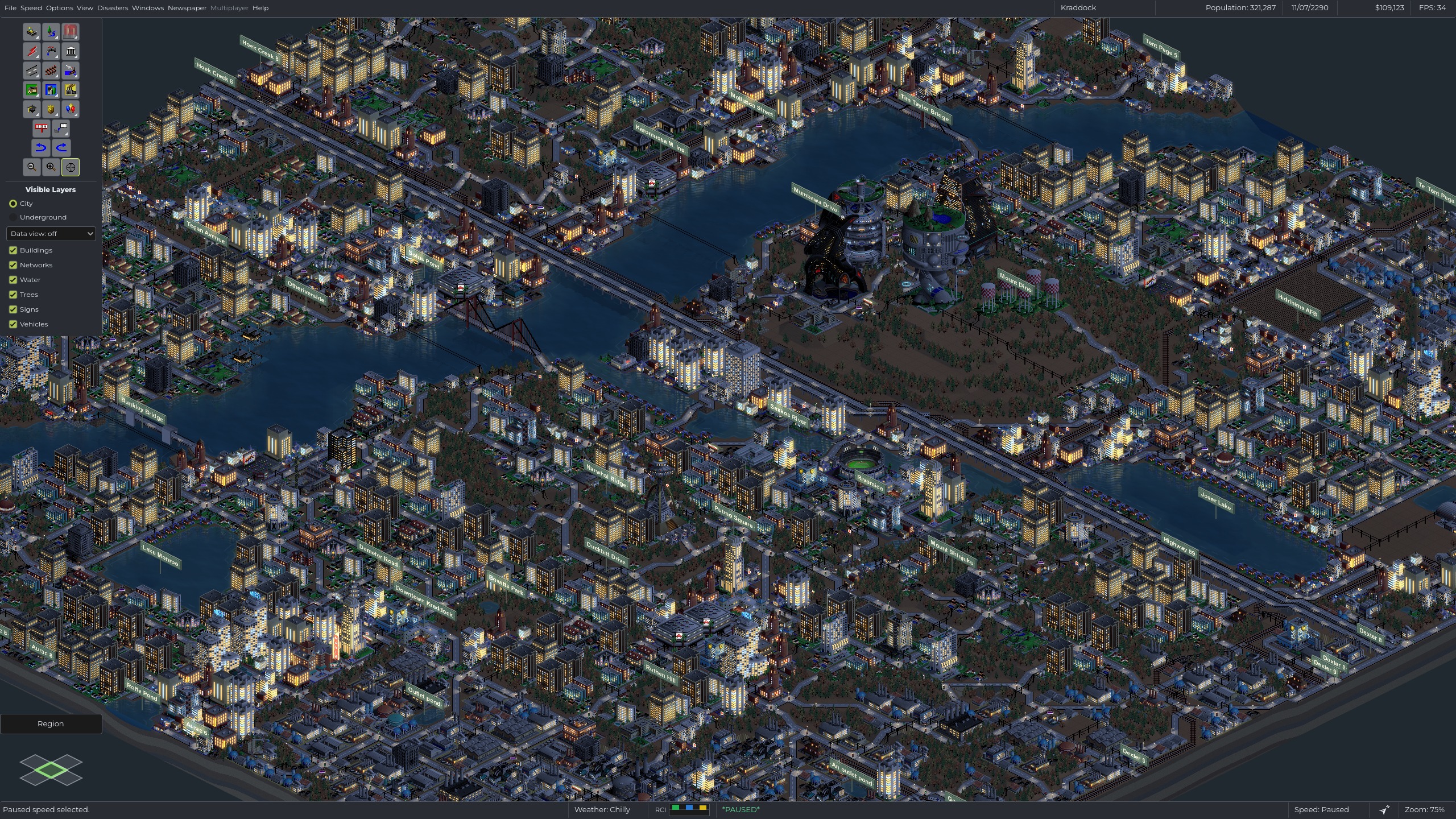
Kraddock at night with illuminated streets, buildings and bridges along the river.
  • Build from sunrise to nightfall. Follow a day-and-night cycle or fix the time, with glowing windows, streetlights and vehicle lights.
  • Let the weather set the mood. Explore rain, snow, thunderstorms, drifting clouds and fog through adjustable visual settings.
  • See the landscape change. Discover seasonal colors, varied forests and reflective water with waves and coastal surf.
  • Bring life to your streets. Decorative cars and pedestrians add activity, while enhanced effects give disasters more impact.

REGIONS & EXPANSION

Your first city is just the beginning.

Start with one city and expand into neighboring areas. Develop a region of your own, connect its cities and choose where to build your next district.
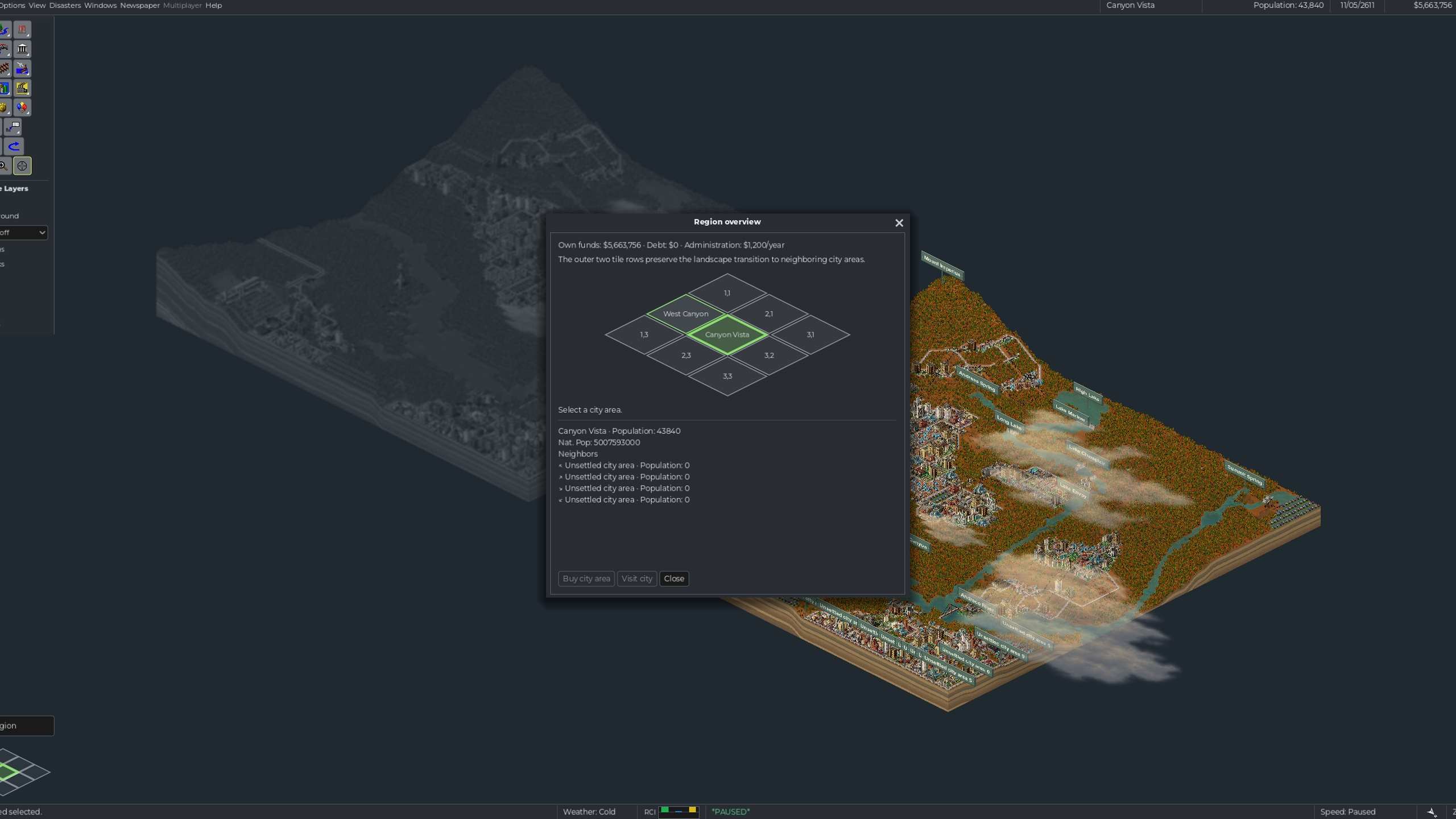
The Region Overview for Canyon Vista beside the active city and a dimmed neighboring city.
  • Plan beyond a single map. Choose a 2 × 2, 3 × 3 or 4 × 4 region and buy adjoining areas as your own collection of cities develops.
  • Preview your next landscape. Check the terrain and purchase price before expanding, with landscapes that meet existing city borders.
  • Switch between cities. Use the region overview to change cities; rs.9 adds unified navigation and improved previews.
  • Connect across the border. Match road, rail and highway links, with border hints showing where connections belong.

MULTIPLAYER · BETA

Your favourite city builder. Together.

Build one city together, compete for space or run rival cities in a shared match. Start with friends or join an ongoing game with an available slot.
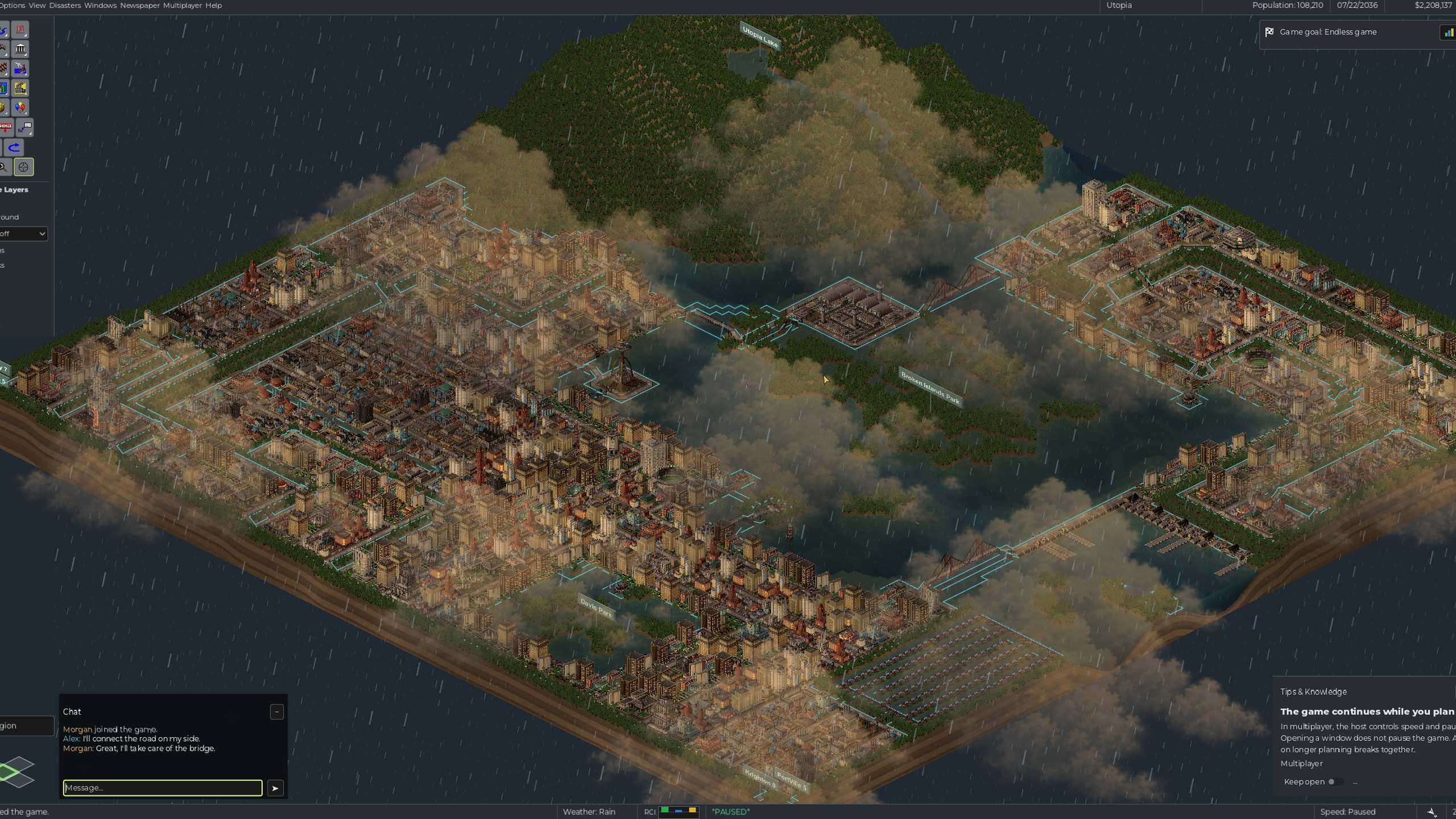
Utopia in Competitive Shared mode with a marked territory, a remote player cursor and an open chat.
  • Three ways to play. Build one city in Co-op, compete on a shared map or run rival cities in Competitive Region.
  • Join before or after the start. Find a waiting lobby or enter an ongoing match when a compatible player slot is available.
  • Coordinate or compete. Use in-game chat and player indicators to organize construction, negotiate or compare your progress.
  • Come back to your match. Let the host save the session, then reunite through the continuation lobby to keep building together.

BUILDING & PLANNING

More room for your next big city idea.

Shape your starting landscape, choose the scale of your city and look beneath the surface. Detailed views help you plan what your next district needs.
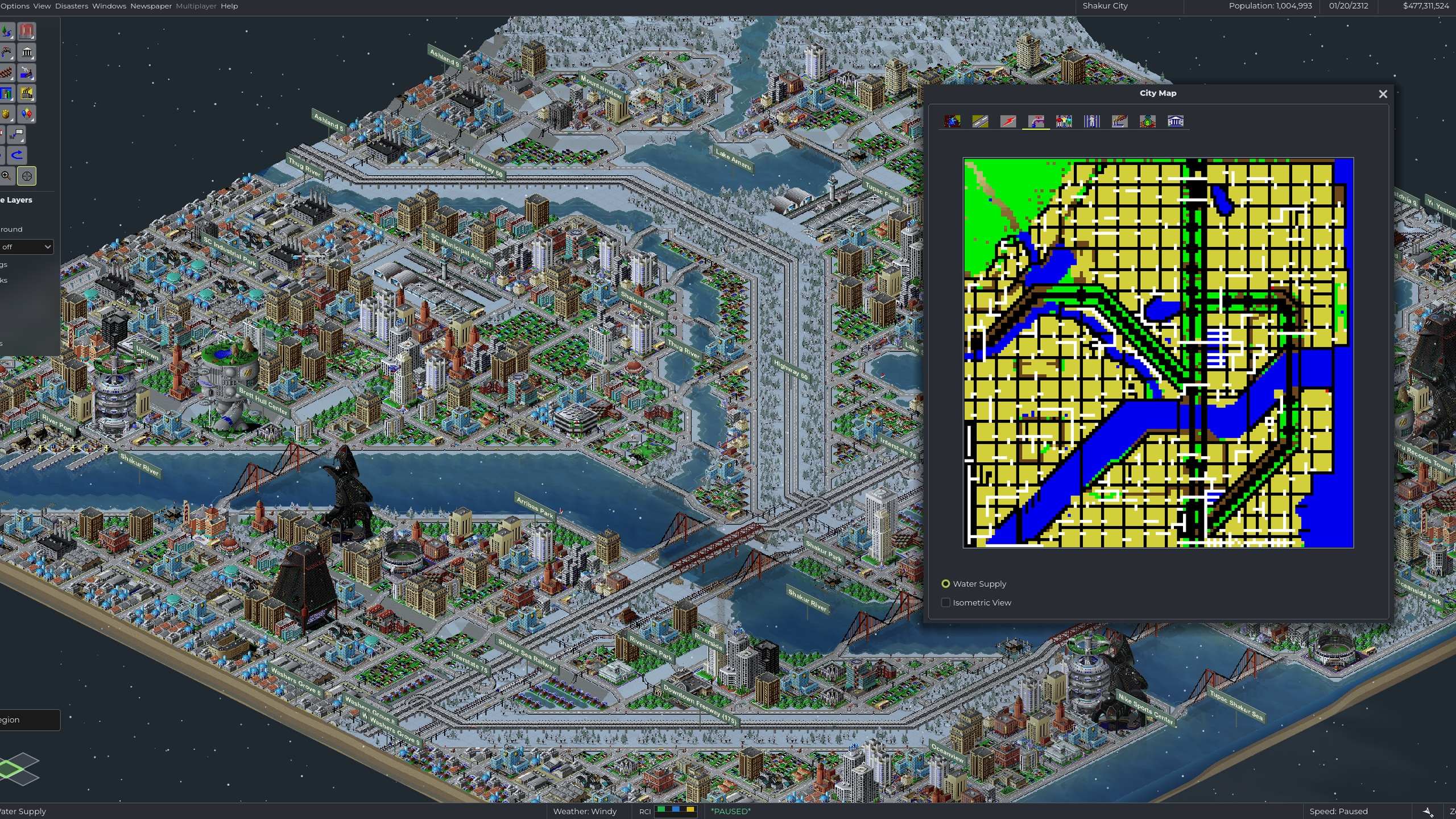
Shakur City with its water supply map open in the City Map window.
  • Choose the scale of your city. Start with the classic 128 × 128 map or select another supported size to suit your plans and hardware.
  • Shape your starting point. Configure the terrain generator and refine the landscape before founding your next city.
  • See what your city needs. Inspect data maps, service coverage and transport views to understand conditions across your districts.
  • Look above and below. Use zoom, rotation, layers and underground views to inspect buildings and infrastructure.

INTERFACE & GUIDANCE

Less searching. More understanding.

Reach the tools you need, find useful explanations and make the interface feel familiar. Practical improvements keep your attention on the city.
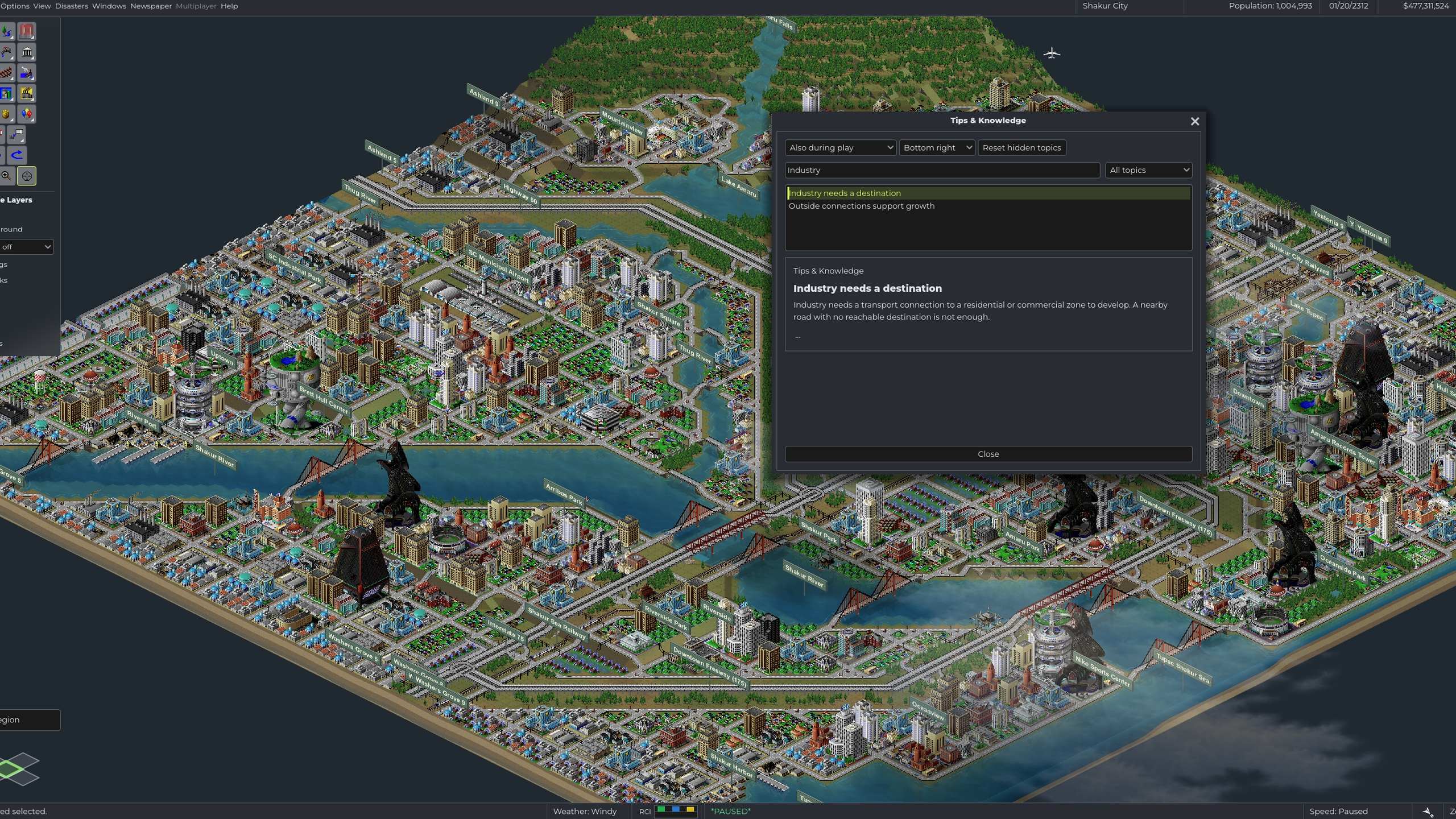
The in-game tips window shows industrial growth advice beside Shakur City.
  • Reach your tools faster. Pick matching tools from the map with a middle-click, or choose a subtool from compact flyout menus.
  • Make yourself comfortable. Choose Dark, Bright, Classic Windows or Classic DOS, with scaling and remembered window positions.
  • Understand your city. Search Tips & Knowledge and inspect local growth conditions without changing your city.
  • Choose your language. English, German, Spanish, French, Italian, Brazilian Portuguese and Korean; Korean has some English fallback.

SAVES & CLOUD

Your city. Ready for the next session.

Keep saves local or choose optional Cloud synchronization. Continue on another supported desktop and decide which cities you want to take with you.
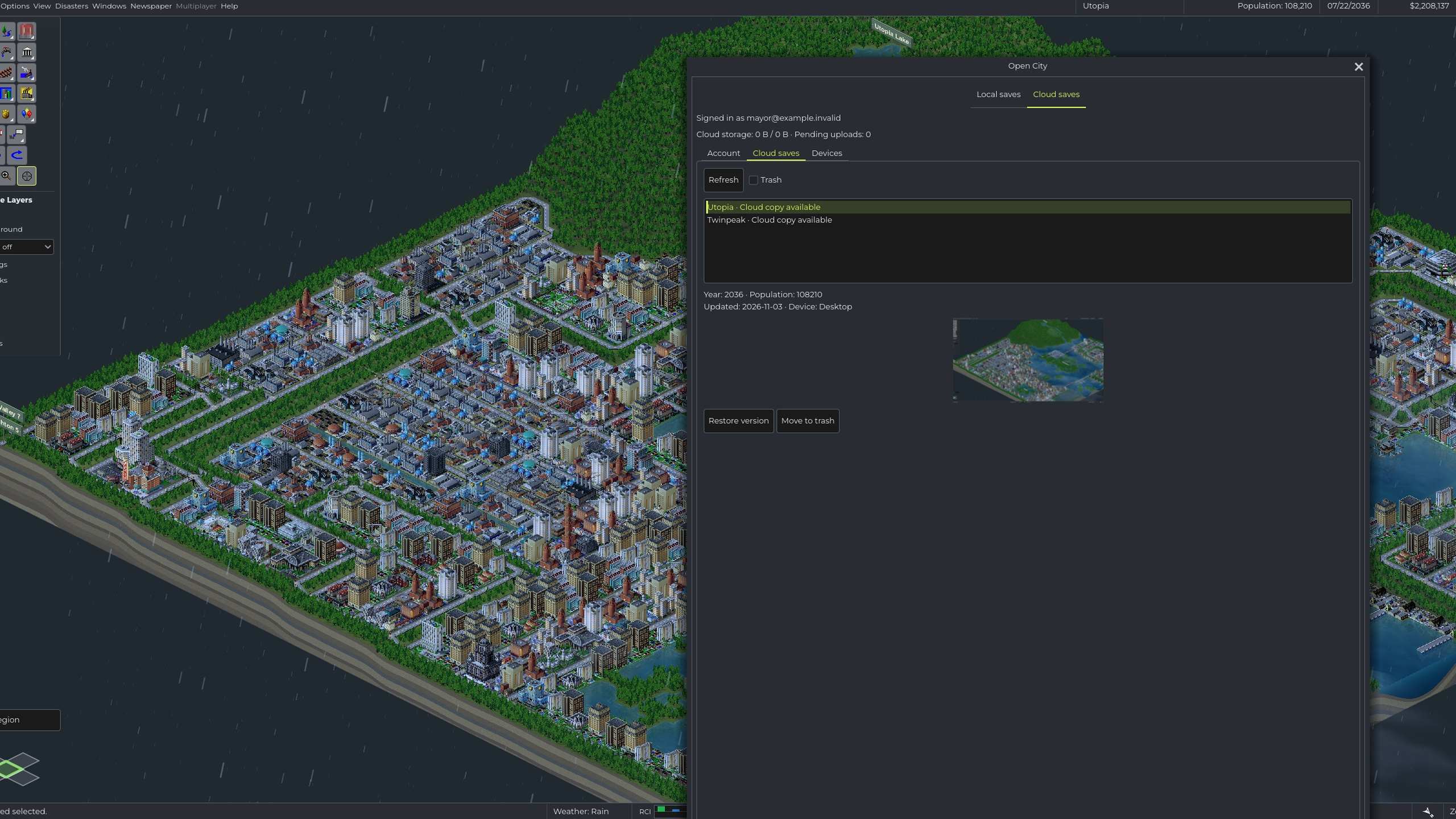
The Cloud Saves panel shows a preview of Utopia, population, game year and a selected save version.
  • Choose what goes online. Enable Cloud for individual saves while keeping other cities local; an optional account is required.
  • Keep building elsewhere. Sign in on Windows, Linux or macOS and load a compatible Cloud save to keep building.
  • Keep earlier versions nearby. Browse stored save versions and recover files from the Cloud trash when you need to go back.
  • Stay in control of conflicts. When two devices continue a save independently, choose a version to keep or retain both copies.

MUSIC & SOUND · RS.9 PREVIEW

The classic soundtrack. Your own mix.

Revisit the original soundtrack, explore replacement music or bring your MP3 collection. The Music Box puts your listening choices beside your city.
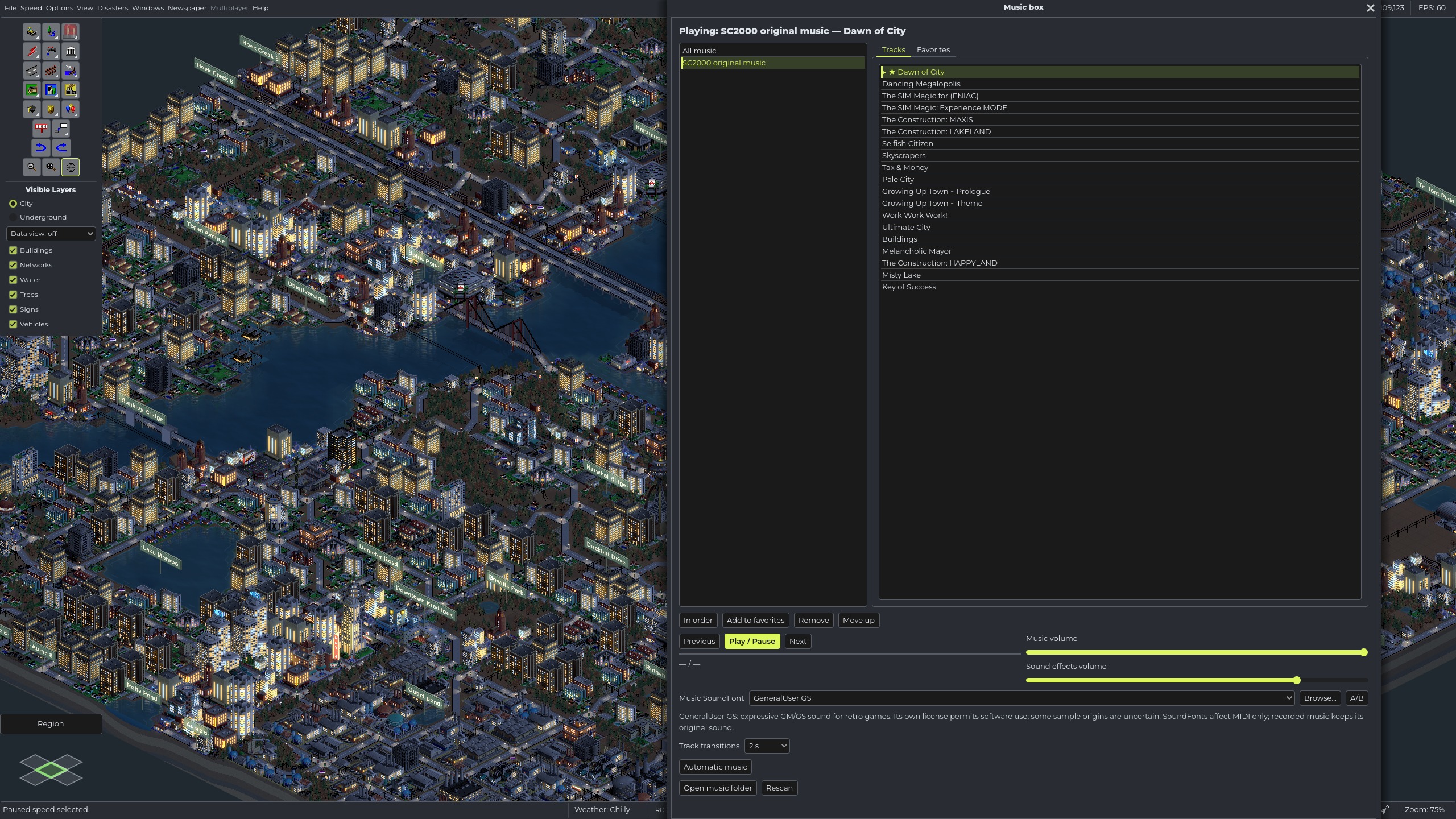
The Music Box plays an original SimCity 2000 MIDI track with GeneralUser GS selected.
  • Keep the classics playing. Enjoy imported SimCity 2000 music and sound effects, or choose the replacement audio packs.
  • Bring your own collection. Browse personal MP3 folders and combine your favourite tracks with music from the game.
  • Choose how the music flows. Play in order or shuffle your favorites; rs.9 adds direct changes and two- or four-second transitions.
  • Choose your MIDI sound. In rs.9, compare FluidR3Mono, MuseScore General and GeneralUser GS during playback.

PHOTO MODE

Your city deserves its moment to shine.

Find the right angle, clear the interface and capture the atmosphere. Photo Mode turns your favourite city views into clean images to keep or share.
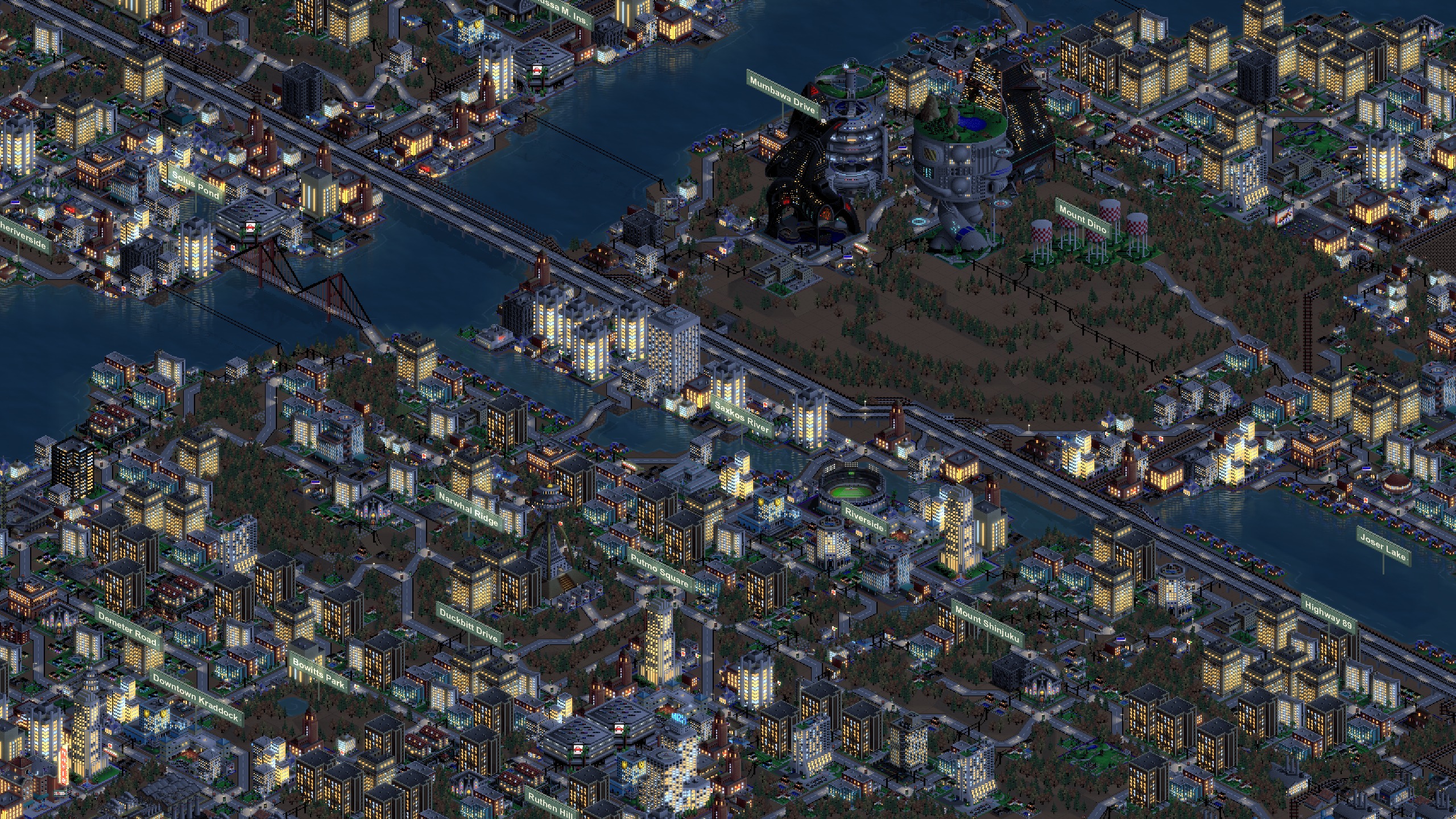
A close view of Kraddock’s bridges and illuminated waterfront at night.
  • Find the angle you love. Pan, zoom and rotate the view to frame a favourite district or show your whole city from a new angle.
  • Clear away the interface. Capture the scene without normal menus, tool panels or photo controls covering your city view.
  • Keep the atmosphere. Include the lighting, weather and visual settings you have chosen for that moment in your city.
  • Save the view and share it. Export the current view as a PNG, then open the photo folder directly from the game to find your images.

GRAPHICS & AUDIO PACKS

Your favourite look. Your choice of sound.

Use imported SC2000 assets or choose replacement packs. Separate graphics, music and sound sources let you find the combination that feels right.
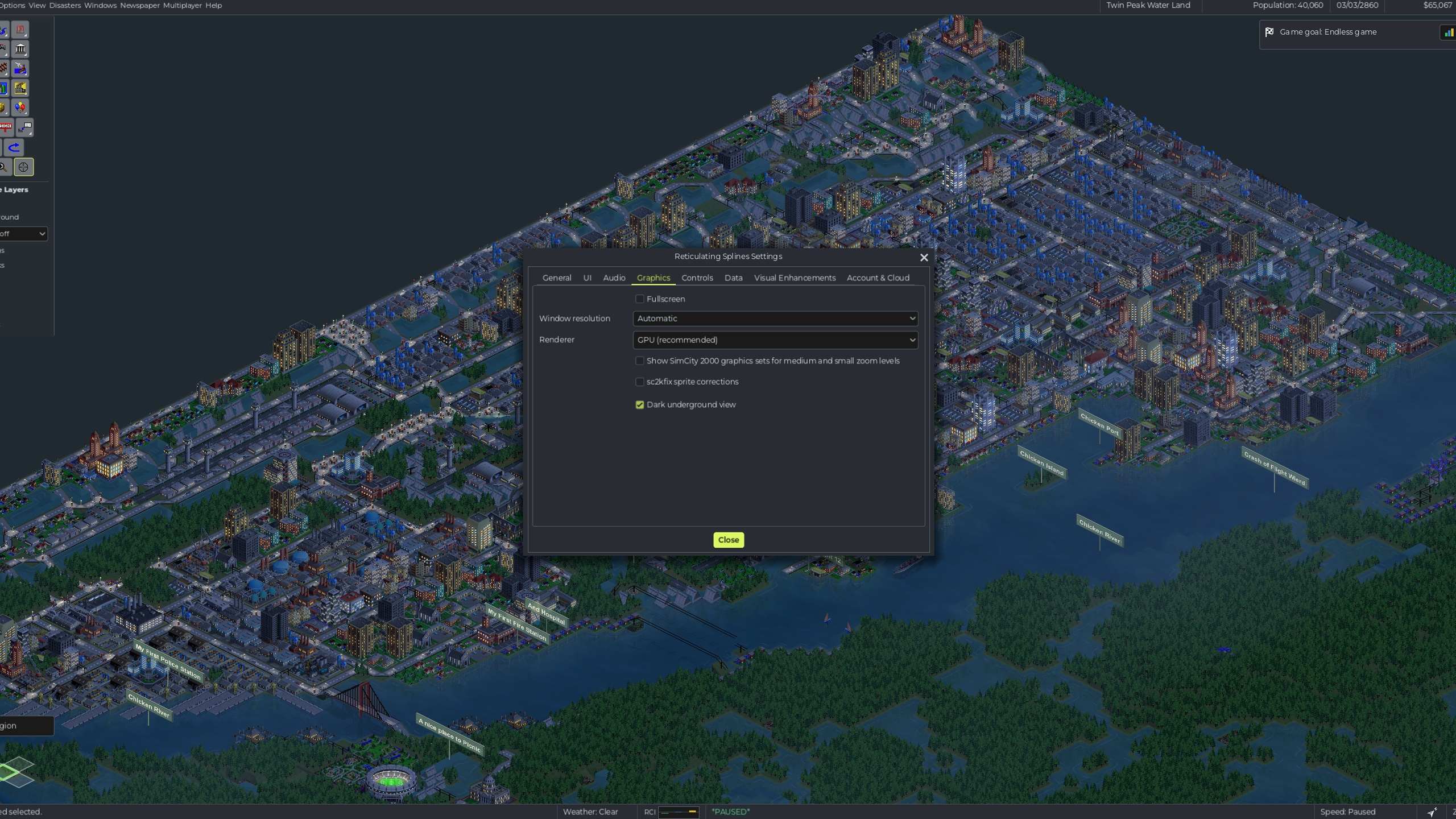
Twin Peak Water Land with the Classic Native graphics pack and standalone sound effects selected in Settings.
  • Choose your own combination. Select graphics, music and sound sources separately to create the presentation you enjoy most.
  • Keep the classic artwork. Use your imported SimCity 2000 graphics with the optional visual enhancements.
  • No original copy? No problem. Replacement graphics and audio let you play without importing files from the original game.
  • Change the mood when you like. Manage your installed packs in Settings and switch the look or sound without rebuilding your city.

SimCity 2000 in a new light

Familiar buildings.

A different atmosphere.

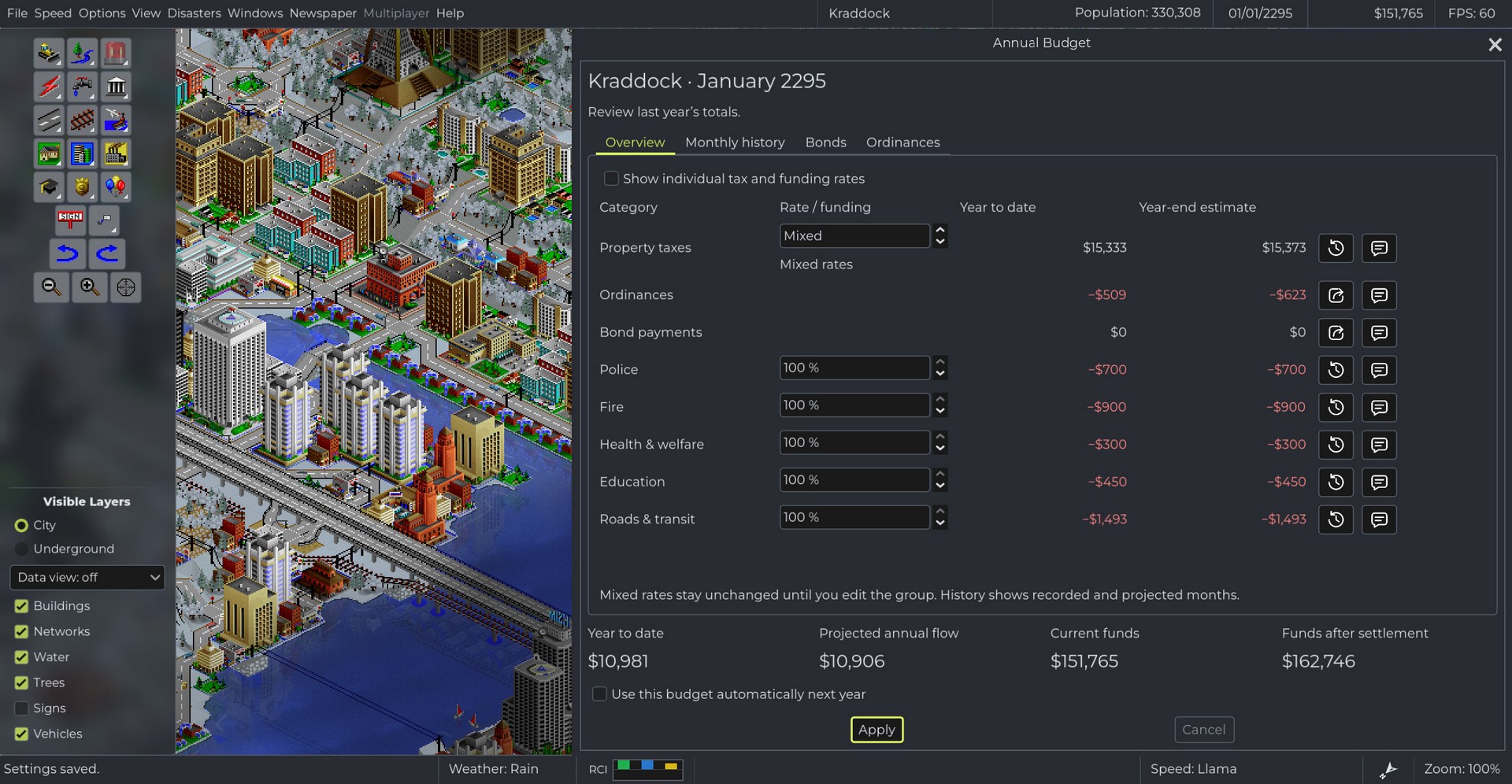
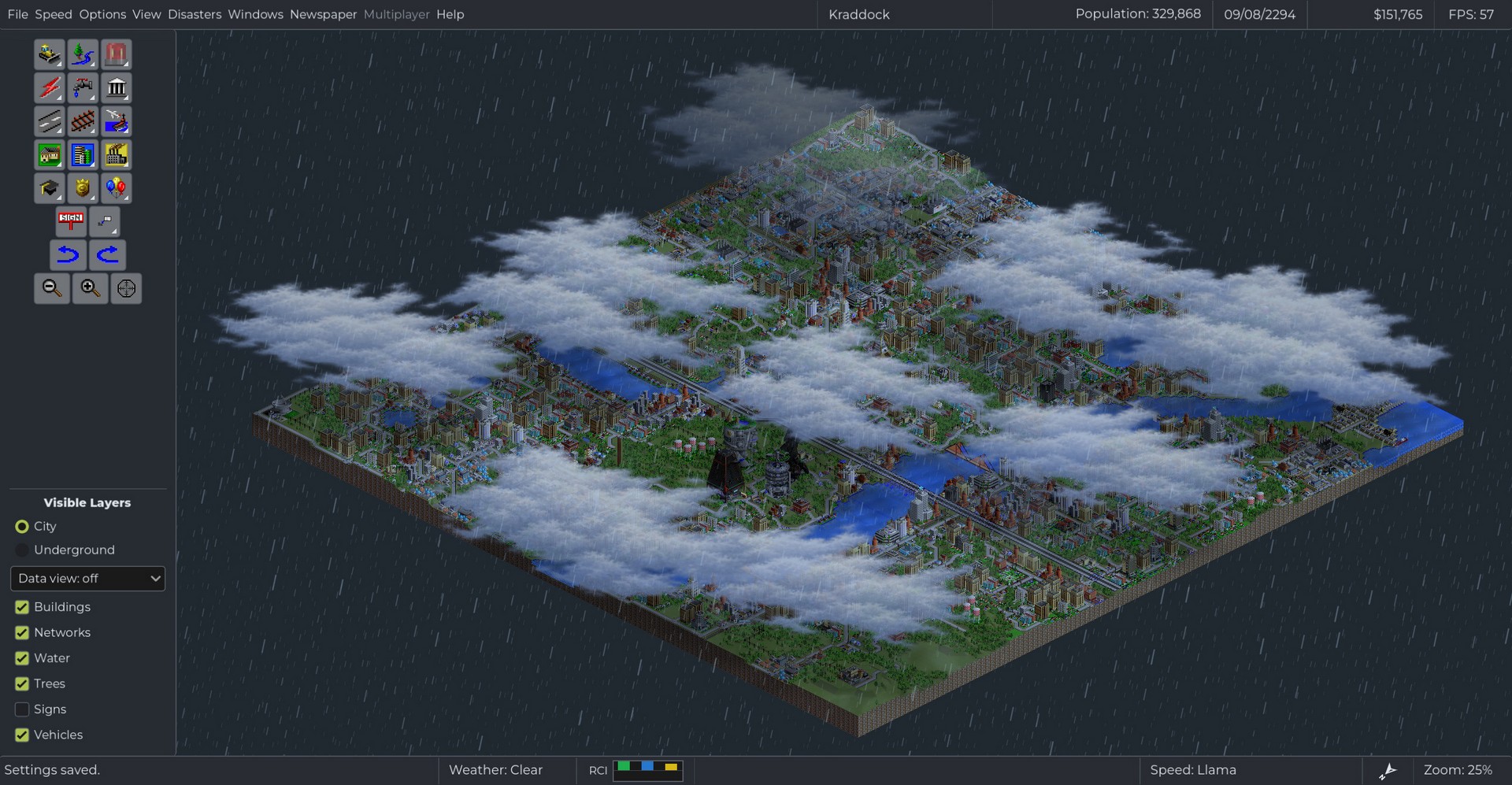
See how lighting, weather, seasons and water effects change the mood of classic SimCity 2000 artwork. Follow a day/night cycle or choose the conditions that suit your city. Visual enhancements change the presentation without changing the underlying single-player simulation rules.
SimCity 2000. Finally, together.

Your favourite city builder.

Now with company.

You’ve built cities on your own. Now share the experience. Reticulating Splines brings multiplayer to the OpenSC2K recreation of SimCity 2000: build one city together, compete for space or run rival cities of your own. Three ways to play. Start together or join an ongoing game.


Building together

Co-op

One city. One budget.
A shared vision.

  • City & land
    One city, built together
  • Money
    A shared city treasury
  • Your goal
    Grow a city as a team

Work on different districts at the same time. Coordinate roads, services and spending in the in-game chat. Share the decisions - and the results.

Compete for space

Competitive Shared

One map. Separate budgets.
Room for a little rivalry.

  • City & land
    Your territory on a shared map
  • Money
    Your own budget and services
  • Your goal
    Outbuild your neighbours

Expand your territory as the map fills up. Negotiate land trades and player loans. Compete towards the chosen match goals - ​compete to become the leading mayor

Run rival cities

Competitive Region

Your city. Your budget.
A region full of rivals.

  • City & land
    Separate cities in one match
  • Money
    Your own city finances
  • Your goal
    Build the leading city

Develop your city independently of your rivals. Visit other players’ cities without changing them. Compare progress towards the chosen match goals.

01 / Find or Host

Choose your game.

Open Multiplayer → Internet to find a game. Join a new lobby, jump into an ongoing session with an available player slot, or host your own match. Playing on the same local network? Choose LAN.

02 / Meet in the Lobby

Get everyone ready.

Starting together? Meet in the lobby, review the settings and mark yourself ready before the host starts. Already underway? You can also join an ongoing match—you don’t have to wait for a new game.

03 / Play together

Build. Chat. Return

Talk through the in-game chat while you play. Save your match when it’s time for a break, then use the continuation lobby to bring the group back together.

What's currently up and going?

Active mayors.

Running cities.

One player hosts the game, the host's network must allow incoming game connections. Everyone else joins. Join through the Internet game list, LAN or a direct IP address. Meet in the lobby to choose your setup and get ready before the host starts the match.

Hosting online for the first time?

Start by creating an Internet game and checking its connection status. If your router supports it, the optional automatic port-forwarding feature can open the connection for you. If that is unavailable, allow the game through your firewall and forward its TCP port on your router (20000 by default). This setup applies to the host. Players joining a game normally do not need to forward a port.

The game is listed, but my friend can’t join.

A listing means the game can be discovered; it does not guarantee that the host’s computer can be reached. Check the connection test, confirm that everyone has a compatible version and review the host’s firewall and router settings. Some provider networks, including connections behind carrier-grade NAT, cannot accept incoming connections without additional arrangements. Another player may be able to host instead.

Classic game. Carefully corrected.

The city you remember.

Fewer old frustrations.

More accurate city values. Consistent bond ratings. Small fixes that make a difference. Reticulating Splines inherits selected sc2kfix improvements adopted or reimplemented by OpenSC2K.

Credit belongs to the sc2kfix contributors and the OpenSC2K team. This is not an integration of the complete sc2kfix plugin.

sc2kfix → OpenSC2K → Reticulating Splines

14

Optional and included fixes for original SC2000 issues

A clearer financial picture

Corrected city-value calculations and daily updates. Bond eligibility uses the same credit-rating scale as the budget window and advisors.

Small fixes, smoother play

More reliable military-base placement, stadium teams released after demolition, and power-saving advice only when a power plant exists.

More care for your cities

Support for sc2kfix saves of original 128 × 128 cities, improved SCURK handling, clearer scenario progress and repair tools for damaged data.

Explore the inherited corrections
  • City value: corrected power-plant costs and zoo / stadium values; water-treatment plants counted as 2 × 2 rather than 3 × 3; subway tiles add value instead of subtracting it. City value updates daily.
  • Bonds: lending uses the budget and advisor credit-rating scale, correcting the original factor-of-ten mismatch.
  • Military bases: up to ten attempts when a location search fails, spacing between missile silos, and a separate counter for military runway orientation.
  • Everyday behavior: demolishing a stadium releases its assigned team. Power-saving advice is shown only if the city has a power plant.
  • SCURK graphics: handling for empty placeholders, DOS / Macintosh palette conversion and loading graphics sets recorded in a save's XFIX data.
  • Maps and scenarios: the city center is shown on the land-value map; individual scenario objectives show current progress.
  • Debug tools: repair malformed terrain and find or remove orphaned sign text, with undo support.
Which graphics and save formats do these fixes apply to?
  • Sprite fixes: the 14 optional corrections address original-sprite placement and clipped edges, DOS / Macintosh color animations, and the animated Hangar 1 door. They apply only to matching original Windows sprites. They do not apply while a SCURK graphics set or an HD / TrueColor pack is loaded, and do not alter the Reticulating Splines graphics pack.
  • Save compatibility: read and write the sc2kfix .sc2x format for original 128 × 128 cities, and load original saves whose file-length field incorrectly reads zero. The sc2kfix format is separate from the extended OpenSC2K SC2X v4 format; sharing an extension does not make the formats interchangeable.
Meet the​ sc2kfix project OpenSC2K's sc2kfix notes

Join the COmmunity

Get in touch

with other players.

Bring your original game

Your copy of SC2000.

A new way to play.

Bring the graphics, sounds, music and game data from your own supported SimCity 2000 copy into Reticulating Splines. Enjoy familiar assets in the project's OpenSC2K-based engine, alongside its modern features.

Graphics

Sounds

Music

Game Data

These are supported data sources. The importer does not run the original executables or make their old operating systems supported runtime platforms.

Recommended · most complete import

Windows 95 Special Edition

The 1996 release, using a complete installation.

Windows 95 editions Supported
Windows 3.x Supported
Windows Network Edition Supported
DOS Supported
Classic Macintosh See limitations
Demo versions Partial content

01 / PREPARE

Make your files available

Install your GOG copy first. Extract archived files or mount a game disc image before selecting it.

02 / CHOOSE

Select your source

Choose an installed game folder, extracted files, a macOS .app package or a mounted game CD.

03 / IMPORT

Bring your assets across

Open Settings → Import Data → Import SimCity 2000. Choose the asset categories and select Import.

Check edition-specific limitations
  • Complete Windows installation: some interface graphics and SCURK resources require a full Windows installation. Import support does not mean that every edition provides every asset.
  • Classic Macintosh: scenarios whose objectives are stored in a resource fork are not copied. Newspaper grammar from the 1993 Macintosh demo is not imported.
  • Demos: available content depends on the files included in that demo.
  • Other releases: Amiga and console editions are not listed as supported import sources.
Using a CD with several versions, a GOG download or an ISO?
  • Several editions on one CD: select the specific DOS, WIN31 or WIN95/SC2K folder. If several versions are found, selection priority is Windows, Windows 3.x, Macintosh, then DOS.
  • GOG: install the game first and select its installed folder, not the installer. ISO and other disc images: mount the image first and select the mounted disc.
I don't own SC2000

You can still play. The optional Reticulating Splines graphics and audio packs provide an alternative to original game assets.

Your original files stay untouched. Import reads the source files without running or modifying them. You need your own original game copy to import its assets; original assets are not included in the download.

An open-source foundation

Built on OpenSC2K.

Inspired by SimCity 2000.

Looking for “SimCity 2000 Remastered”? Reticulating Splines is an unofficial fan project built on OpenSC2K, the open-source reimplementation written in Rust and Godot. It adds enhanced visuals, modern tools, multiplayer and optional graphics and audio packs.

Can I use the original graphics with the new features?

Yes. Import assets from your supported SimCity 2000 copy and use them with the project's enhancements. Reticulating Splines runs in its own OpenSC2K-based engine; it does not modify the original executable. Expanded city features and multiplayer require the supported SC2X formats and modes.

Which original edition can I import?

The supported importer uses SimCity 2000 Special Edition for Windows 95 (1996). Select that copy's SIMCITY.EXE when prompted. Its assets are imported locally; original game files are not included with the project.

Can I keep playing my original cities?

Original .sc2 cities have their own compatibility mode. Choose Upgrade City to SC2X when you want the expanded city features. SC2X saves cannot be opened in the original SimCity 2000 executable.

Do I need to own SimCity 2000?

No. Original assets are optional. The Reticulating Splines graphics, music and sound packs provide an alternative, so you can play without original game files or previous SimCity experience. The project is still in development.

Can I play with friends?

Reticulating Splines offers experimental multiplayer for two to eight players over LAN or direct IP, with co-op, Competitive Shared and Competitive Region modes.

Which systems will be supported?

The OpenSC2K base project is available for macOS, Windows and Linux. Downloads, confirmed system requirements and installation instructions for Reticulating Splines will be provided with its release.

Why is the game called Reticulating Splines?

T​he name is a nod to “Reticulating splines,” the famously mysterious message from SimCity 2000’s terrain generation. Its playful, technical-sounding wording became a running joke in Maxis games — and a fond memory for many city builders.

For this project, the name celebrates our SimCity 2000 roots and the anticipation of building a new city. Reticulating Splines brings new possibilities to that familiar experience, while optional replacement assets welcome players without the original game.

Reticulating Splines is an independent fan project. It is not an official SimCity 2000 remaster from Maxis or EA.

The person behind the project

A love for SimCity 2000. A vision for what comes next.

I'm not a programmer. I'm a SimCity 2000 enthusiast. My vision for Reticulating Splines is familiar graphics and sounds, richer atmosphere, more convenient tools and new ways to play together.

Building on OpenSC2K, every feature added for this project has been developed with the help of OpenAI Codex Astra. I bring the ideas and direction; AI helps me turn them into code. My heartfelt thanks go to Nicholas Ochoa and the OpenSC2K contributors for their outstanding work—without their foundation, Reticulating Splines would not be possible.

The optional replacement graphics and audio make the project accessible to players who don't own the original game. Returning to SC2000 or discovering it for the first time, you're welcome here.

Daniel Gimmer · Realm667

A PERSONAL PROJECT. A SHARED PASSION.

Help me build
the next chapter.

I’ve already invested several thousand euros of my own money and countless hours into Reticulating Splines—from shaping ideas to testing and refining the experience. AI-assisted development makes this vision possible, but it comes with substantial costs.

If you enjoy what I’m building, please consider a donation. Your support helps me cover those costs and continue improving the features, fixes and details that bring new life to SimCity 2000.

This is a personal passion project, and every contribution means a lot to me. Any amount is appreciated. Thank you for helping me take it further.

Support the project with a PayPal​ donation

Donate to Realm667 via PayPal · Opens in a new tab

Ready to build?

Your next city.

Starts here.

Rediscover SimCity 2000. Get the latest playable build of Reticulating Splines for your platform — free and open source.

Latest available build for each architecture. Preview builds included. In development. Preview builds may contain bugs; multiplayer is in beta. Check the release notes for installation instructions, including macOS security prompts.

THE LATEST FROM RETICULATING SPLINES

New features. Fresh updates.

Your city keeps evolving.

Explore the latest releases, discover new features and follow the work behind Reticulating Splines—from classic SimCity 2000 details to new ways to play.

Classic & Expanded city building | v1.0.0-beta.1

Classic & Expanded city building | v1.0.0-beta.1

Choose Classic or Expanded when you found a city. The first 1.0 beta adds eight metropolis rewards, facility upgrades, an annual city review and new tools for saving, viewing and documenting your cities.

Read more

Development blog

OPEN SOURCE. OPEN TO IDEAS.

Explore the code.

Help shape what comes next.

Explore the source, compile your own build and follow the development of Reticulating Splines. Report bugs, discuss ideas and suggest improvements to help shape the project.

You don’t need to be a programmer to contribute. Bug reports, testing and thoughtful feedback all make a difference.